Whether you're predicting your club's starting XI, planning your Sunday league side or settling a dream-team debate in the group chat, making a football lineup should take minutes — not a spreadsheet. Here's exactly how to create a professional-looking lineup on your phone, for free.
What you need to make a football lineup
All you need is a lineup builder. My Lineup is a free lineup builder app for iOS and Android with over 20,000 real players, real club kits, preset formations and drag-and-drop controls — no sign-up required.

Get the free lineup builder app
Everything in this guide takes under two minutes in My Lineup.
Step 1: Choose your formation
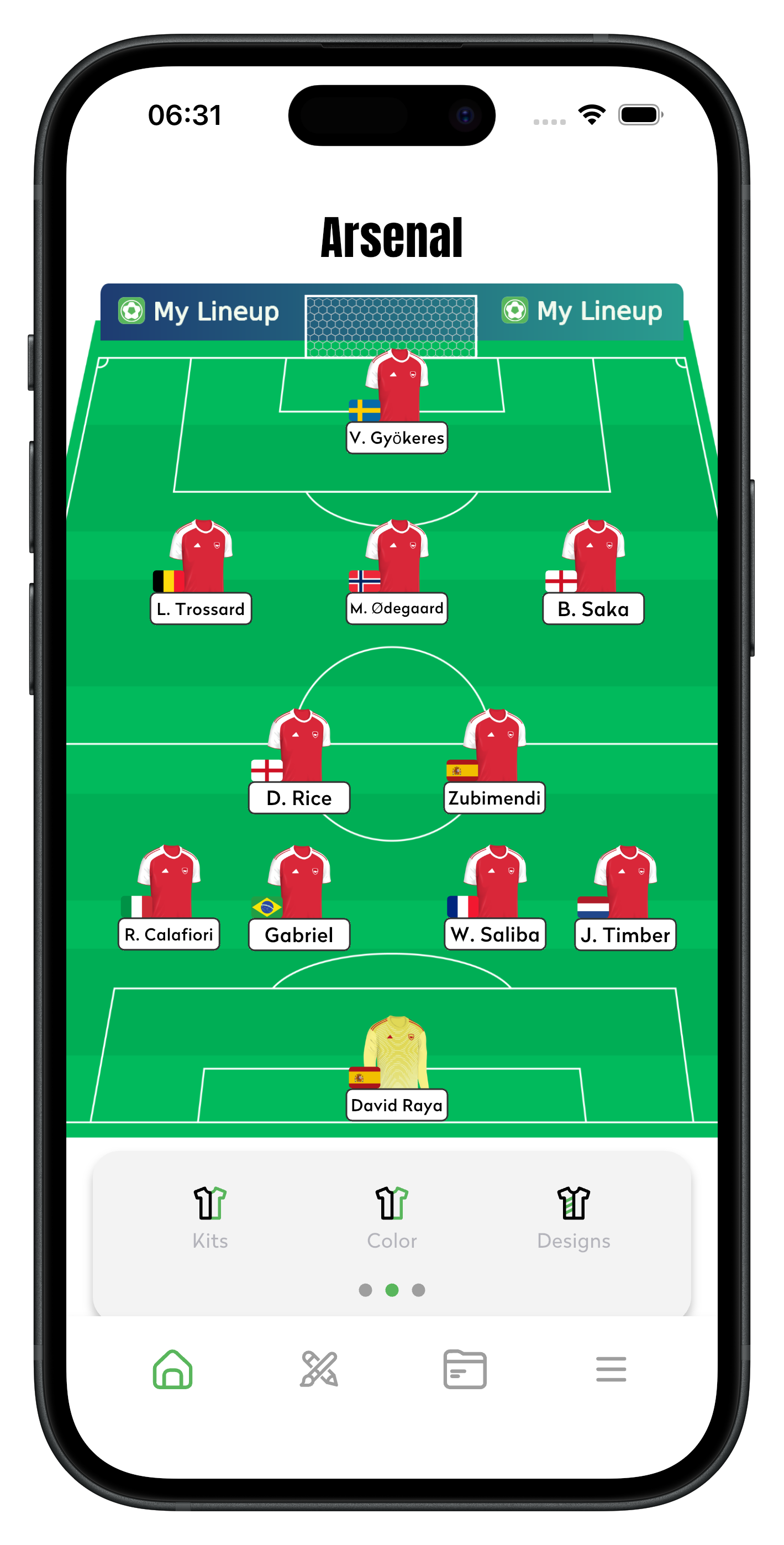
Every lineup starts with a shape. Open the formation picker and choose a preset — 4-3-3, 4-4-2, 4-5-1, 3-4-3 and many more are built in. If you're not sure which suits your team, our formations explained guide breaks down the strengths and weaknesses of each.
Playing small-sided? Change the player count to build anything from a 5-a-side to a full 11-a-side lineup.
Step 2: Add your players
Tap a position on the pitch and pick your player. You can:
- Search real players — over 20,000 with real photos, covering men's and women's football plus legends like Pelé, Maradona and Cruyff.
- Create custom players — add your own name and photo, perfect for your actual Sunday league or five-a-side squad.
- Favourite players you use often so they're one tap away next time.
Step 3: Position players with drag and drop
Presets are a starting point, not a rule. Drag any player anywhere on the pitch — push your full-backs higher, tuck a winger inside, or drop your striker into the 10 role. You can also adjust player size to fit more detail on screen.
Step 4: Style your lineup
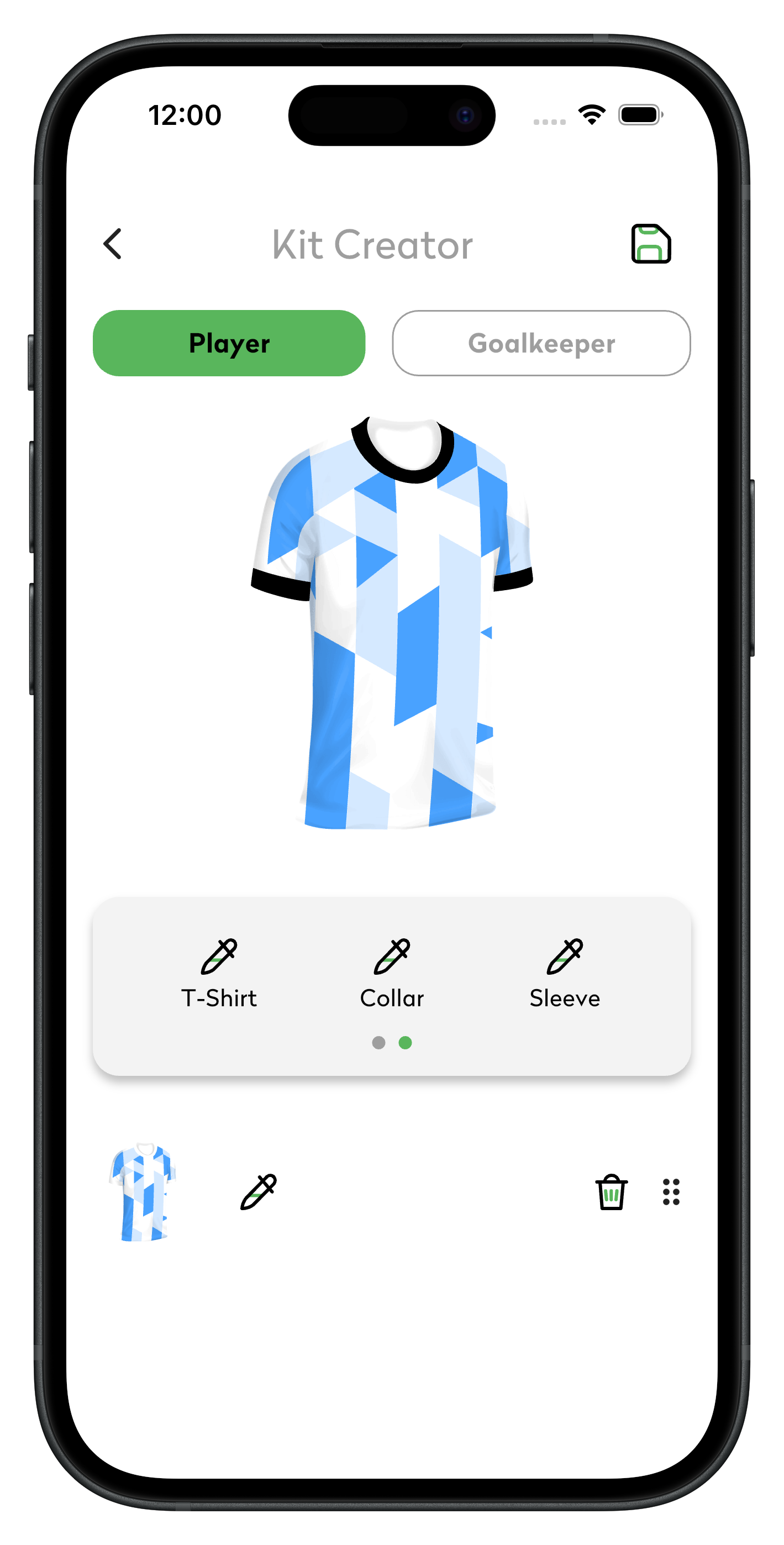
Make the lineup look like your team. Apply a real club kit — Barcelona, Manchester United, PSG, Real Madrid and more — or open the Kit Creator and design your own kit with custom colours, patterns, sleeves and collars. Finish it with your favourite pitch pattern.
Step 5: Save and share your lineup
Save your team so you can edit it any time, then export it as an image and share it to WhatsApp, X (Twitter), Instagram or TikTok. If you're posting predicted lineups on matchday, see our predicted lineup guide for tips on getting engagement.
Frequently asked questions
Can I make a lineup with real players for free?
Yes — My Lineup is free to download and includes the full player database, formations and sharing.
Can I make lineups for 5-a-side or 7-a-side?
Yes. Change the team size from 5-a-side up to 11-a-side. See our 5-a-side formations and 7-a-side formations guides.
Can I put myself in the lineup?
Yes — create a custom player with your own name and photo, or go further and make your own FUT-style card.